
Best overall: Google Analytics 4. Best for privacy-focused website measurement: Plausible Analytics. Best budget-conscious option: Google Analytics 4. This 2026 guide compares five tools for website traffic, social performance, simple reporting, and funnel analysis.
- Google Analytics 4 is the best overall analytics tool for solo creators in 2026.
- Plausible Analytics is the privacy-first pick for focused website reporting.
- Metricool is best for creators who need social analytics in one place.
- Fathom Analytics suits creators who want a simpler website dashboard.
- Mixpanel is best for multi-step funnel and product behavior analysis.
Why this matters
Solo creators rarely need more data. You need clearer decisions. ge.digital offers analytics support alongside content strategy, video editing, website building, and funnels for creators, coaches, founders, and service businesses.
The wrong analytics setup creates work without direction. You collect page views, reach, engagement, and conversion events, but none of those numbers tells you what to publish, fix, or remove until each metric is tied to a decision.
The ge.digital analytics approach starts with the business question. Are people finding your work? Are they taking the next step? Where do they stop? The tool comes after the question because a larger dashboard does not create a clearer answer.
Google Analytics 4 is the best analytics tool for solo creators who need one website measurement system and can accept a steeper setup. That is the default recommendation for 2026. Choose a specialist tool when privacy, social reporting, simplicity, or funnel analysis matters more than broad website coverage.
What makes the best analytics tool for solo creators
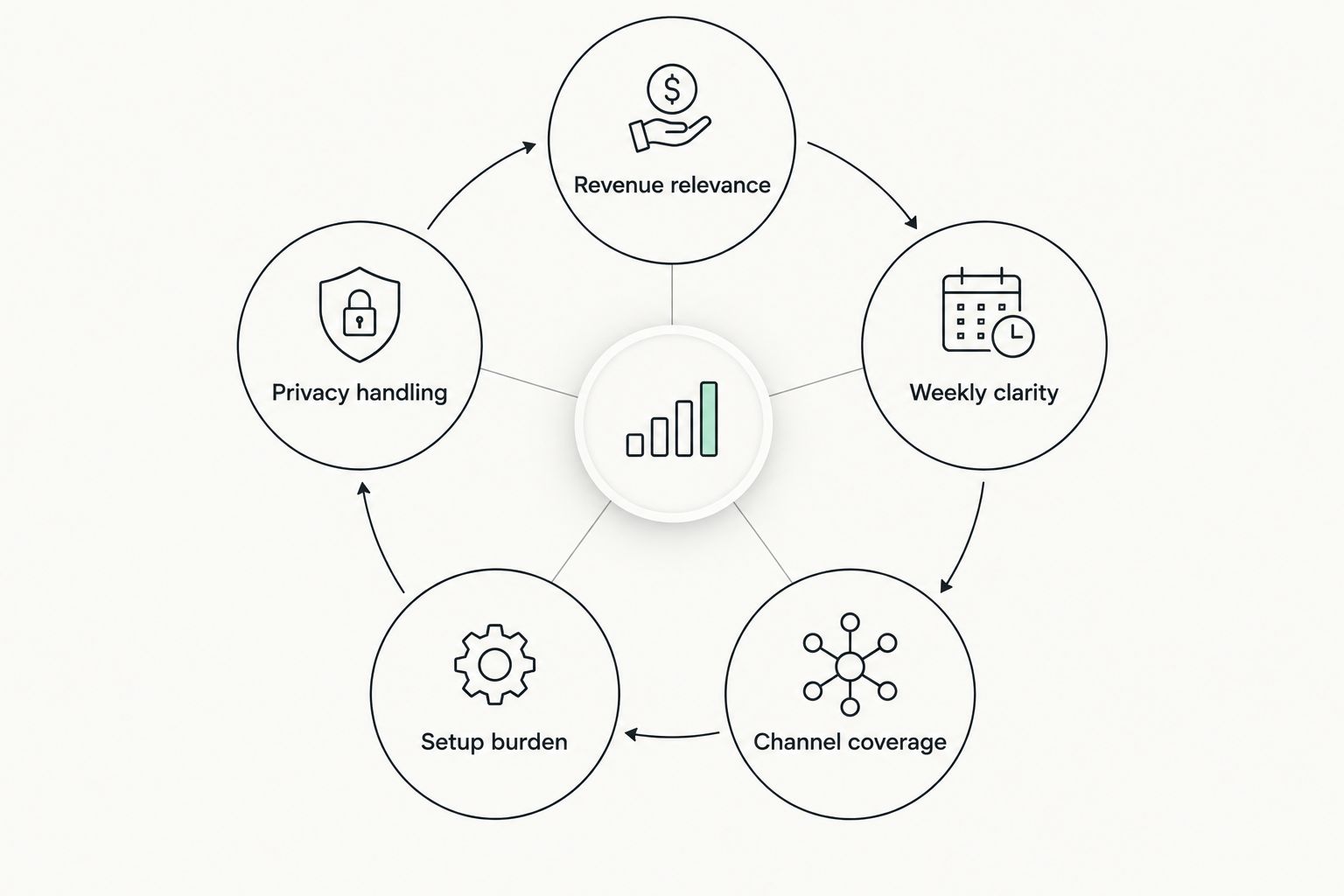
Six criteria separate a useful analytics tool from another dashboard you stop opening:
- Revenue relevance: The data connects content and traffic to meaningful actions.
- Weekly clarity: You can find the answer without building another report.
- Channel coverage: The tool measures the website, social channels, or funnel you actually use.
- Setup burden: Installation and maintenance fit a solo operation.
- Privacy handling: Collection methods match your audience and regulatory obligations.
- Decision fit: Each report supports a specific action, such as revising a page or changing a content topic.
Use these criteria as a filter. A creator selling through a multi-step funnel needs different analysis from someone building an audience through short-form video. No single platform wins every category in 2026.
Best analytics tools for solo creators at a glance
| Tool | Best for | Standout feature | Key limitation |
|---|---|---|---|
| Google Analytics 4 | Broad website measurement | Event-based website and app reporting | Setup and reporting take time to learn |
| Plausible Analytics | Privacy-focused website owners | Focused, privacy-first traffic reporting | Less behavioral depth than product analytics tools |
| Metricool | Social-first creators | Cross-channel social reporting | Website analysis is not its main strength |
| Fathom Analytics | Fast website checks | A deliberately narrow dashboard | Limited depth for complex journeys |
| Mixpanel | Funnels and product behavior | Event, path, and funnel analysis | Too involved for basic traffic reporting |
1. Google Analytics 4: best overall for website measurement
Google Analytics 4 measures website and app activity through events. It can show acquisition channels, landing-page activity, user journeys, and defined conversions in one system. Its broad scope makes it the best default for solo creators running a website in 2026.
The trade-off is attention. A basic installation collects activity, but useful measurement still requires you to define the events and outcomes that matter. If you leave every report untouched, Google Analytics 4 becomes a storage system rather than a decision tool.
Google Analytics 4 pros:
- Covers acquisition, engagement, events, and conversions
- Connects with Google Search Console and Google Ads
- Supports custom events for specific creator funnels
- Has extensive implementation documentation
Google Analytics 4 cons:
- The reporting interface takes time to learn
- Event naming can become inconsistent without a plan
- Consent, retention, and access settings need active management
Best for: Solo creators who rely on a website and want broad measurement in one platform.
Verdict: Buy. Start with acquisition, landing pages, and one primary conversion instead of configuring every available report.
2. Plausible Analytics: best for privacy-focused creators
Plausible Analytics provides focused website reporting through a smaller set of metrics. It emphasizes privacy-conscious collection and avoids the sprawling report structure found in Google Analytics 4.
That focus is the reason to choose it. You can review traffic sources, pages, locations, devices, and configured goals without moving through several reporting menus. The narrower scope also means you give up some behavioral detail.
Plausible Analytics pros:
- Keeps core website metrics in a focused dashboard
- Uses a privacy-first measurement model
- Reduces the number of reports you need to maintain
- Supports goals for important visitor actions
Plausible Analytics cons:
- Provides less behavioral depth than Mixpanel
- Does not replace dedicated social analytics
- Offers fewer reporting paths than Google Analytics 4
Best for: Creators who want clear website trends while limiting data collection complexity.
Verdict: Buy. Choose Plausible Analytics when privacy and reporting focus matter more than advanced segmentation.
3. Metricool: best for social media analytics
Metricool brings publishing, channel management, and social performance reporting into one system. It fits creators whose audience growth depends more on social platforms than website search or product usage.
The main benefit is context. Instead of checking each platform separately, you can compare content performance and publishing activity from one workspace. Platform connections and available metrics can differ, so confirm that your current channels are supported before committing your reporting process.
Metricool pros:
- Combines reporting across supported social channels
- Places publishing activity beside performance data
- Helps compare content formats and channel results
- Reduces repeated checks across native dashboards
Metricool cons:
- Website measurement is not as deep as Google Analytics 4
- Available data depends on each platform connection
- A cross-channel summary can hide useful post-level context
Best for: Creators publishing across several social channels who need one reporting routine.
Verdict: Buy. Use Metricool for social decisions, then keep website conversion tracking in a dedicated website tool.
4. Fathom Analytics: best for a simple website dashboard
Fathom Analytics is a focused website analytics platform built around a small reporting surface. It shows core traffic and campaign information without asking you to design a reporting workspace first.
Fathom Analytics overlaps with Plausible Analytics, but its distinct slot is simplicity. It suits the creator who wants to check website direction, close the dashboard, and return to production. It is not the right choice when detailed funnels or user-level product behavior drive decisions.
Fathom Analytics pros:
- Keeps website reporting deliberately focused
- Uses privacy-focused data collection
- Requires fewer reporting decisions than Google Analytics 4
- Supports campaign and event measurement
Fathom Analytics cons:
- Offers less journey detail than Mixpanel
- Does not cover social publishing performance
- Narrow reporting can limit deeper investigations
Best for: Creators who need essential website reporting without a large configuration project.
Verdict: Hold. Choose Fathom Analytics for simplicity; compare it directly with Plausible Analytics before deciding.
5. Mixpanel: best for funnels and product behavior
Mixpanel analyzes actions people take inside a website, app, membership, or digital product. Its event, funnel, retention, and path reports answer different questions from a standard traffic dashboard.
Use Mixpanel when your customer journey has several meaningful stages. A creator might need to understand the path from account creation to a key product action, not only the page that started the visit. That analysis requires a clear event plan and a more involved implementation.
Mixpanel pros:
- Measures defined actions across a user journey
- Builds funnels around ordered events
- Shows paths before and after important actions
- Fits products where repeat behavior matters
Mixpanel cons:
- Requires deliberate event planning
- Creates unnecessary complexity for a simple content website
- Does not replace social reporting or search performance data
Best for: Creators with multi-step products, memberships, or funnels who need behavioral analysis.
Verdict: Buy for a developed funnel; skip for basic traffic reporting. Mixpanel earns its place only when event-level behavior changes product or funnel decisions.
How the tools were ranked
The ranking follows the six criteria above. Google Analytics 4 takes the first position because it covers the widest range of website measurement needs. Plausible Analytics, Metricool, Fathom Analytics, and Mixpanel win narrower use cases where focus matters more than coverage.
The order is not a claim that every creator needs the first tool. It is a decision tree. Start with your main question, identify the channel where the answer lives, and choose the smallest system that can answer it reliably in 2026.
A solo operator also needs clean ownership. Record who controls the account, which events matter, how each event is named, and what action follows each report. This prevents your analytics setup from becoming dependent on memory.
Fix your analytics setup
Connect your content, website, funnel, and reporting around the decisions that matter.
Which analytics tool should you choose?
Choose Google Analytics 4 if you want one broad website platform and are prepared to configure it carefully. It is the strongest default among the best analytics tools for solo creators in 2026.
Choose Plausible Analytics when privacy-conscious website measurement is the priority. Choose Fathom Analytics when the smallest practical dashboard is the priority. Both avoid the breadth of Google Analytics 4, but neither replaces dedicated social or product analysis.
Choose Metricool when social publishing drives most of your audience growth. Choose Mixpanel when users move through a defined product or funnel and you need to see where behavior changes.
Your landing page and measurement plan also need to match. A guide to landing page builders for coaches helps you choose the page system; analytics then shows whether visitors complete the intended action.
Do not install all five tools. That creates duplicate events, conflicting definitions, and another maintenance job. Pick one primary analytics platform and add a specialist only when the primary platform cannot answer a recurring business question.
ge.digital provides analytics as part of hands-on digital growth support for creators, coaches, founders, and service businesses. The role is practical: connect the measurement plan to the content, website, and funnel you already need to operate.
FAQ
What's the best analytics tool for solo creators in 2026?
Google Analytics 4 is the best overall choice for broad website measurement in 2026. Plausible Analytics, Metricool, Fathom Analytics, and Mixpanel are stronger for specific privacy, social, simplicity, or funnel needs.
Is Plausible Analytics better than Google Analytics 4?
Plausible Analytics is better when privacy-focused collection and a narrow dashboard are your priorities. Google Analytics 4 is better when you need broader acquisition, event, and conversion reporting.
What's the best analytics tool for social media creators?
Metricool is the best pick in this comparison for creators managing several supported social channels. It combines social performance reporting with publishing workflows, but it does not replace detailed website analytics.
Is Fathom Analytics better than Plausible Analytics?
Fathom Analytics is the better fit when dashboard simplicity is the deciding factor. Plausible Analytics fills a similar privacy-focused role, so compare their current features against your required events and reports.
Does a solo creator need Mixpanel?
A solo creator needs Mixpanel only when a multi-step product or funnel requires event-level analysis. A basic website with simple traffic questions does not need that implementation burden.
How much do analytics tools for creators cost?
Current pricing differs by vendor, plan, usage, and included features. Check each vendor's current terms after confirming that the tool matches your measurement needs.
How many analytics metrics should a solo creator track?
Track only the metrics connected to an active decision. A smaller set covering discovery, action, and outcome is more useful than a dashboard filled with numbers nobody uses.
How often should a solo creator check analytics?
Check analytics on a schedule that matches your publishing and sales cycle. Keep the cadence consistent so you compare complete periods instead of reacting to isolated changes.
One last thing
A clean dashboard can still be wrong. Test every important event after changing a website, form, checkout, or funnel. Confirm that the action fires once, appears under the expected name, and maps to the intended decision.
The rule for 2026 is simple: if a metric never changes a decision, stop giving it space in your weekly review. ge.digital keeps analytics tied to execution because measurement only matters when it changes what you build next.
“If a metric never changes a decision, stop giving it space in your weekly review.”